VOCATIONAL COLLEGES · TRAINING-CORPUS PLATFORM

Teaching material,
turned into data you can train on and search

Teachers upload the raw material for each major. The platform files it by college and major, and after review it cleans, chunks and labels the text. The output is fine-tuning datasets, a vector knowledge base for retrieval and a knowledge graph, all of which feed the classroom terminals.

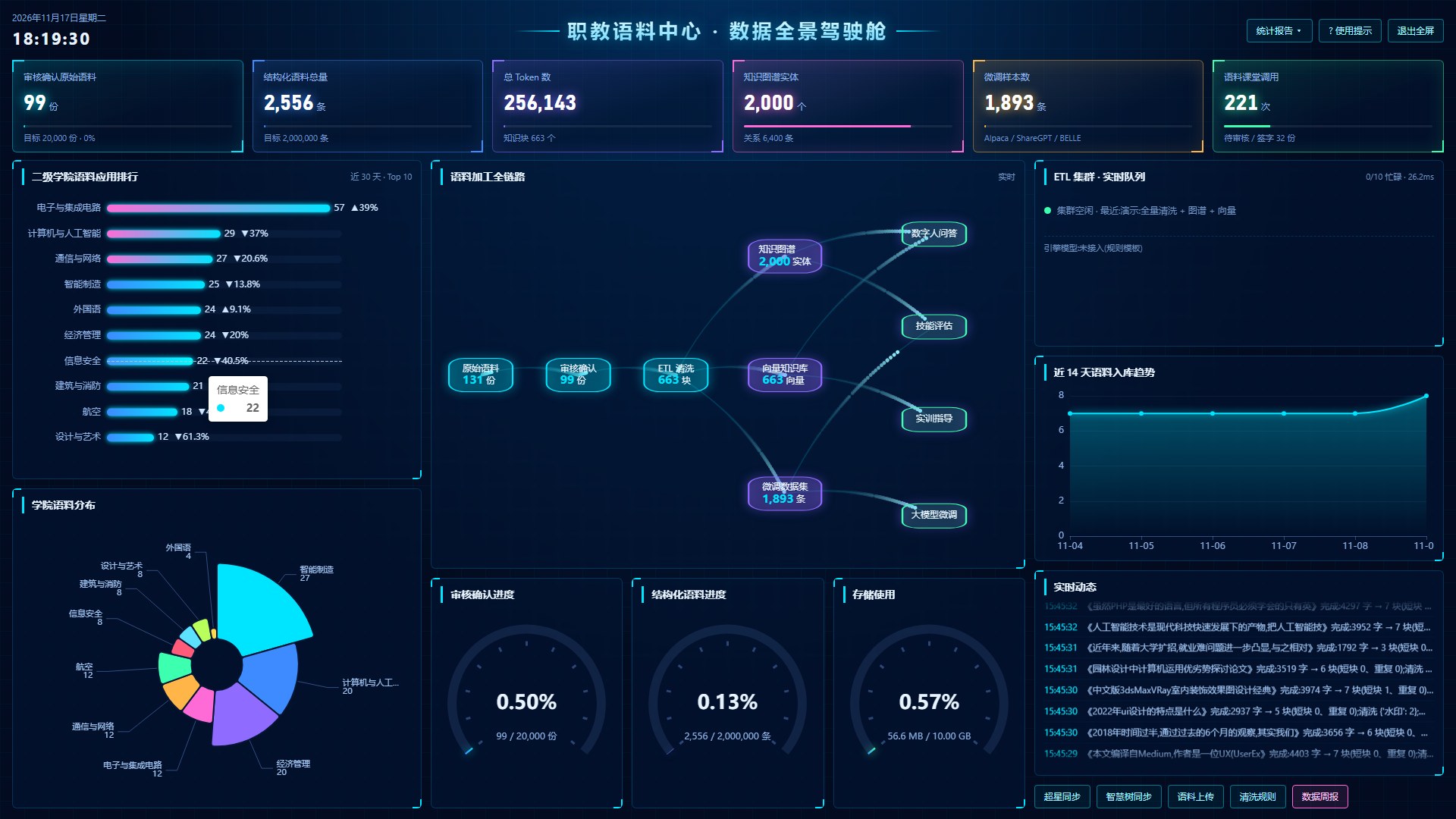
The data cockpit in full screen (demo environment data, Chinese UI). Click to enlarge.
COCKPIT

One screen for the whole college's corpus

The cockpit goes full screen with one click, for a meeting-room or exhibition display.

Six headline numbers

Reviewed source documents, structured records, total tokens, knowledge-graph entities, fine-tuning samples and classroom calls, each shown against its target.

The whole pipeline

Source material → review → ETL cleaning → vector store / knowledge graph / fine-tuning datasets, with the current count at every step.

Ranking and share by college

Document counts per college and usage over the last 30 days, so it is easy to compare who contributes and who uses it.

Live activity

The cleaning queue, 14-day intake trend, storage use and latest processing records refresh in real time. Reports can be exported.

FEATURES

A screen for every step, from upload to classroom

All screenshots come from a demo environment loaded with public datasets. No real college material is shown.

01

Upload and filing

Teachers upload course material and file it by college, major and category. PDF, Word, Excel and text files are supported. Scans and images go through OCR, and recordings through speech recognition.

  • Chinese full-text search over titles and body text, fuzzy or exact
  • Separate libraries for source material, college-owned corpus and structured datasets
  • Export the sign-off list as Excel or PDF
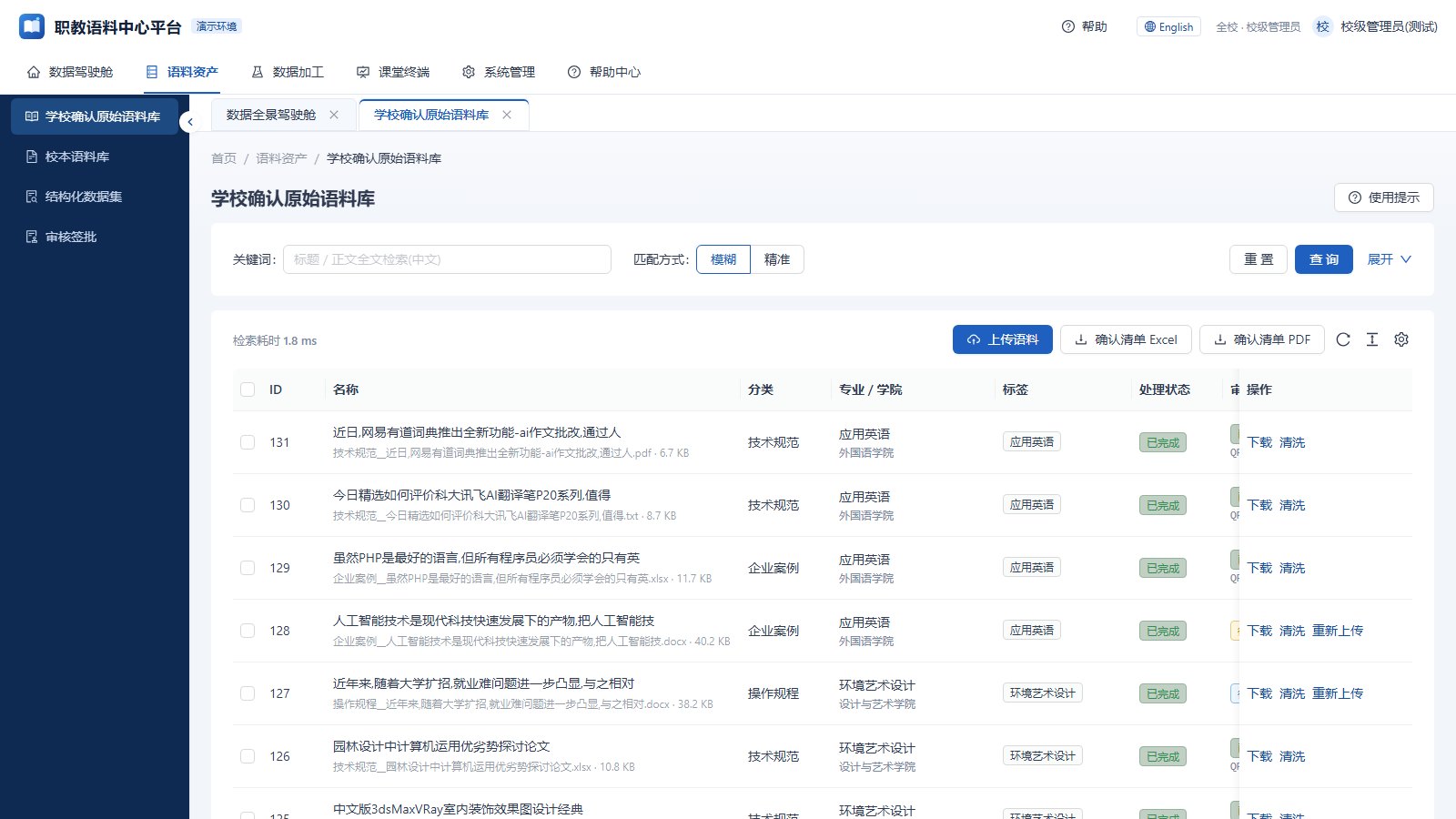
Source library: upload, full-text search, export
02

Review with a full audit trail

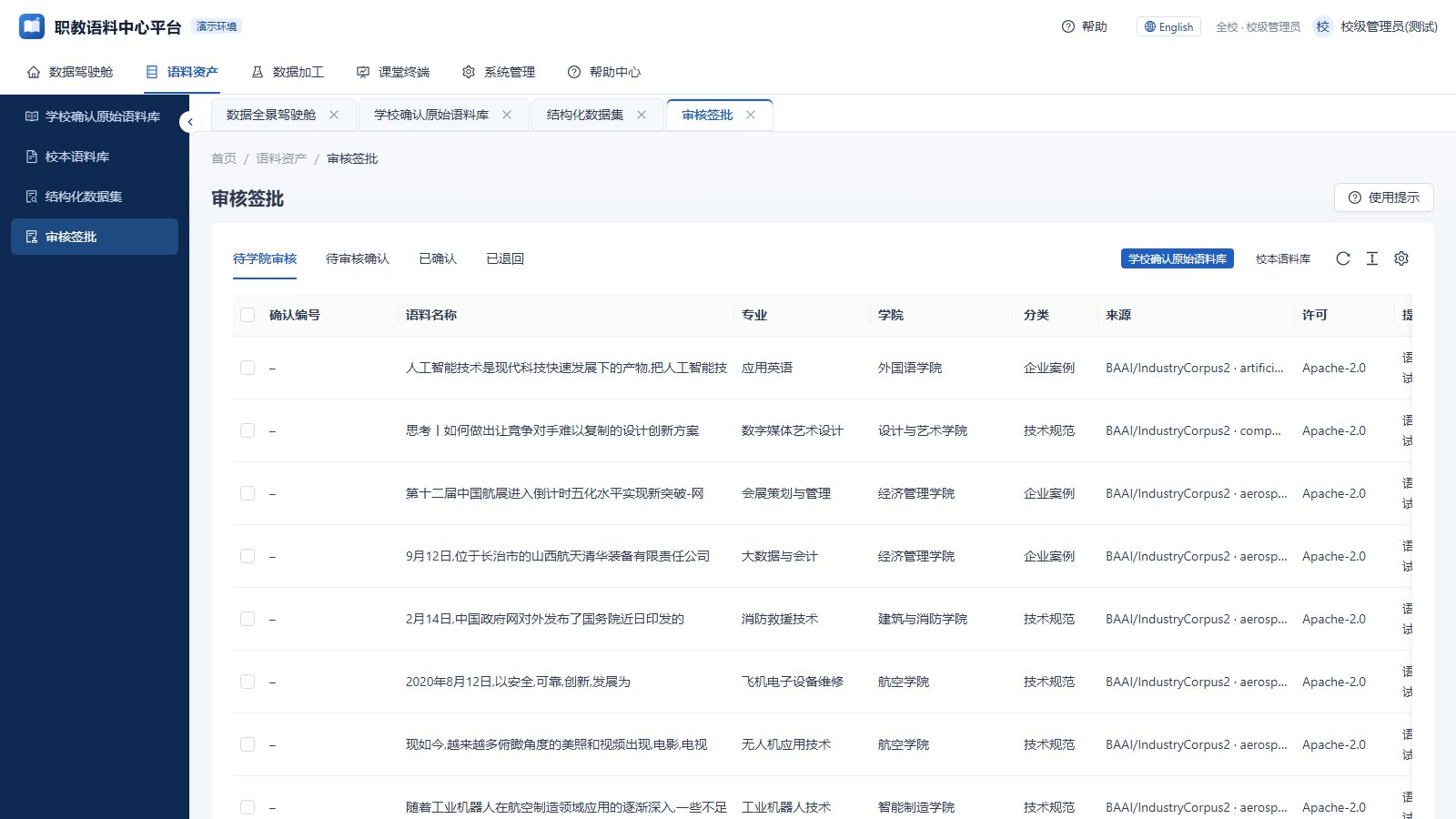
Material is reviewed before it enters the library: first by the college, then confirmed by the school. Who reviewed what, when and with which result is recorded, and each document carries a confirmation number, source and licence.

  • Pending, confirmed and returned items are listed separately
  • Role-based access for school admins, college admins, teaching groups and teachers
  • Every action is logged
Review: pending, confirmed, returned
03

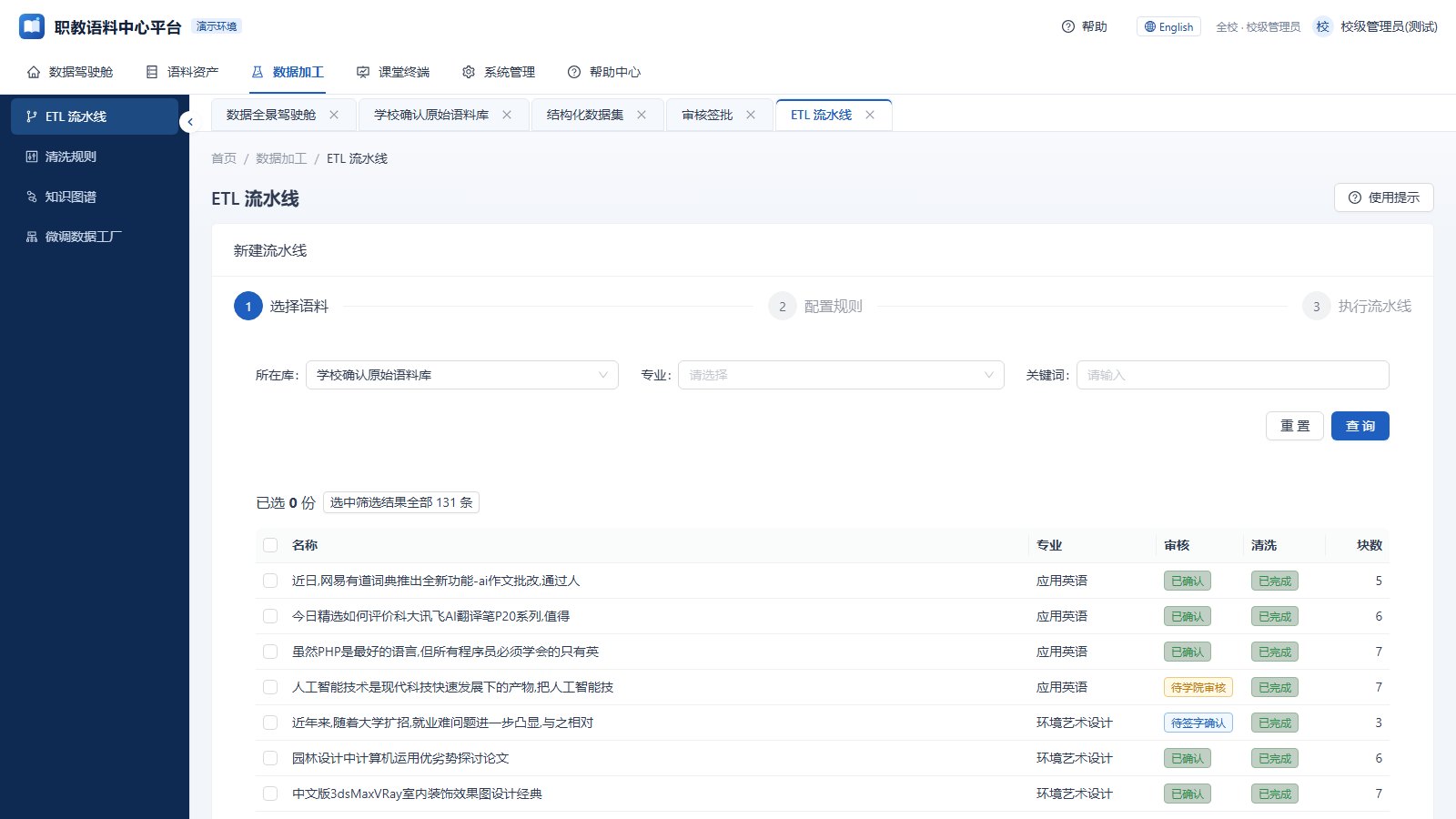
Cleaning and chunking in three steps

Pick a batch, choose cleaning rules, run. The platform strips headers and footers, removes duplicates, masks sensitive data, splits text into chunks and builds vectors for retrieval.

  • Save cleaning rules as templates
  • Chunk length and overlap are adjustable
  • Progress and timing are visible in the queue
ETL pipeline: pick documents, set rules, run
04

Knowledge graph

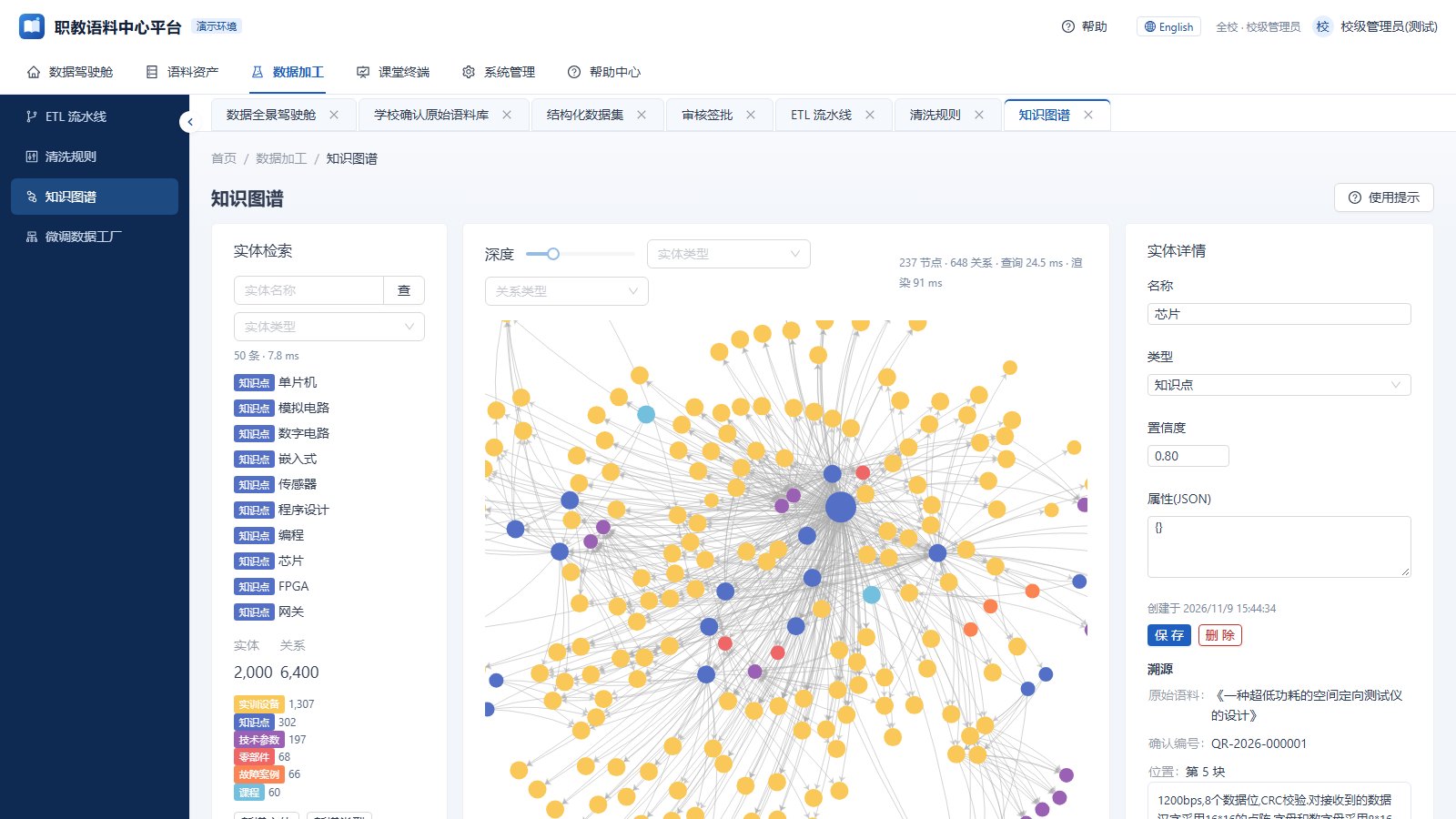
Entities and relations are extracted from the corpus into a graph you can browse. Search by name, filter by type, and open an entity to see its attributes, relations and source.

  • Entity types are configurable
  • Each entity links back to the exact place in the source document
  • Entities and relations can be edited by hand
Knowledge graph: entity search and relations
05

Fine-tuning data factory

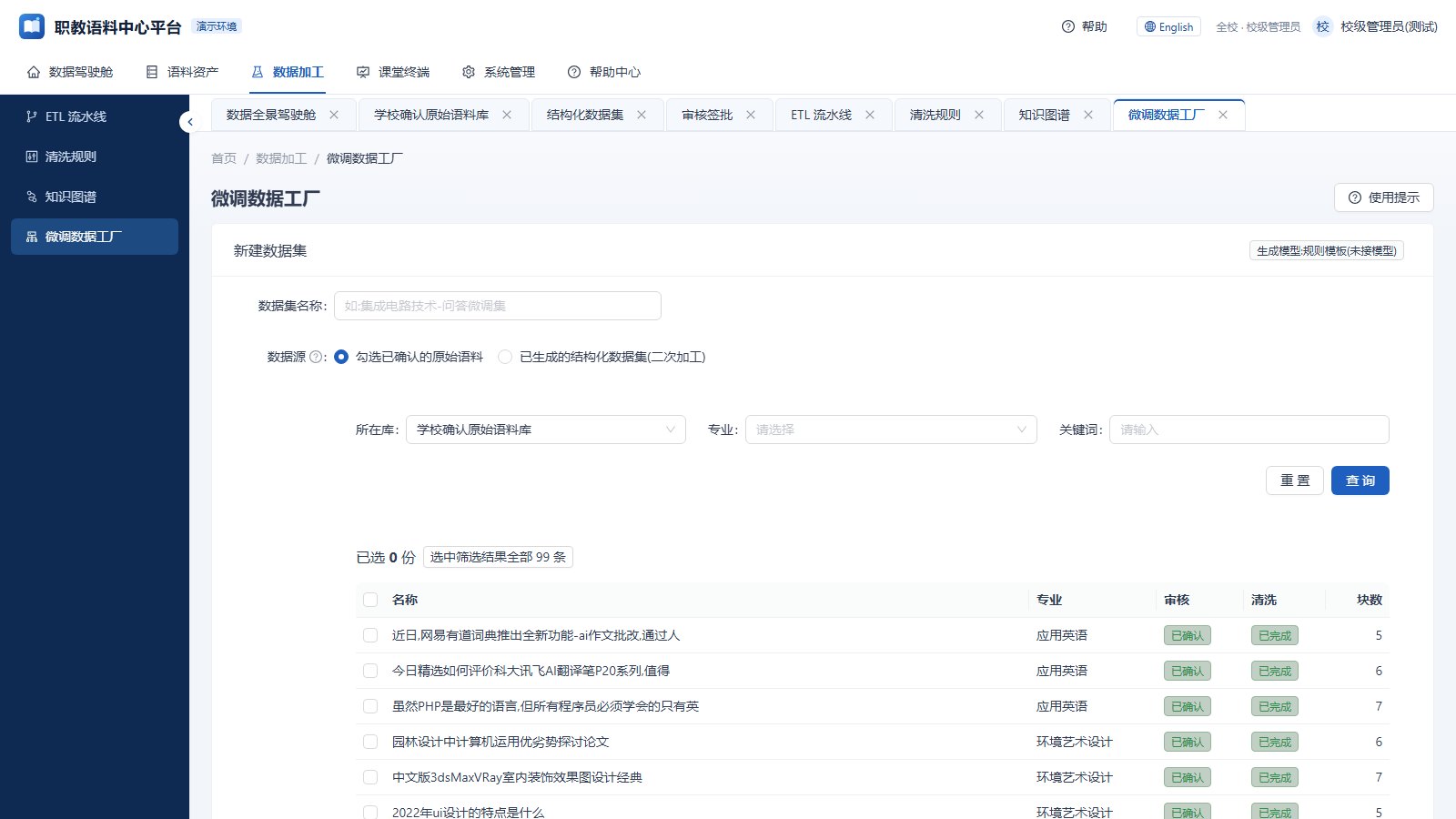
Select confirmed documents and generate question-answer and instruction samples in bulk, then export a dataset ready for fine-tuning.

  • Alpaca, ShareGPT and BELLE formats
  • Uses the college's own LLM when connected, rule templates otherwise
  • Datasets are versioned and downloadable
Fine-tuning data factory
06

Into the classroom

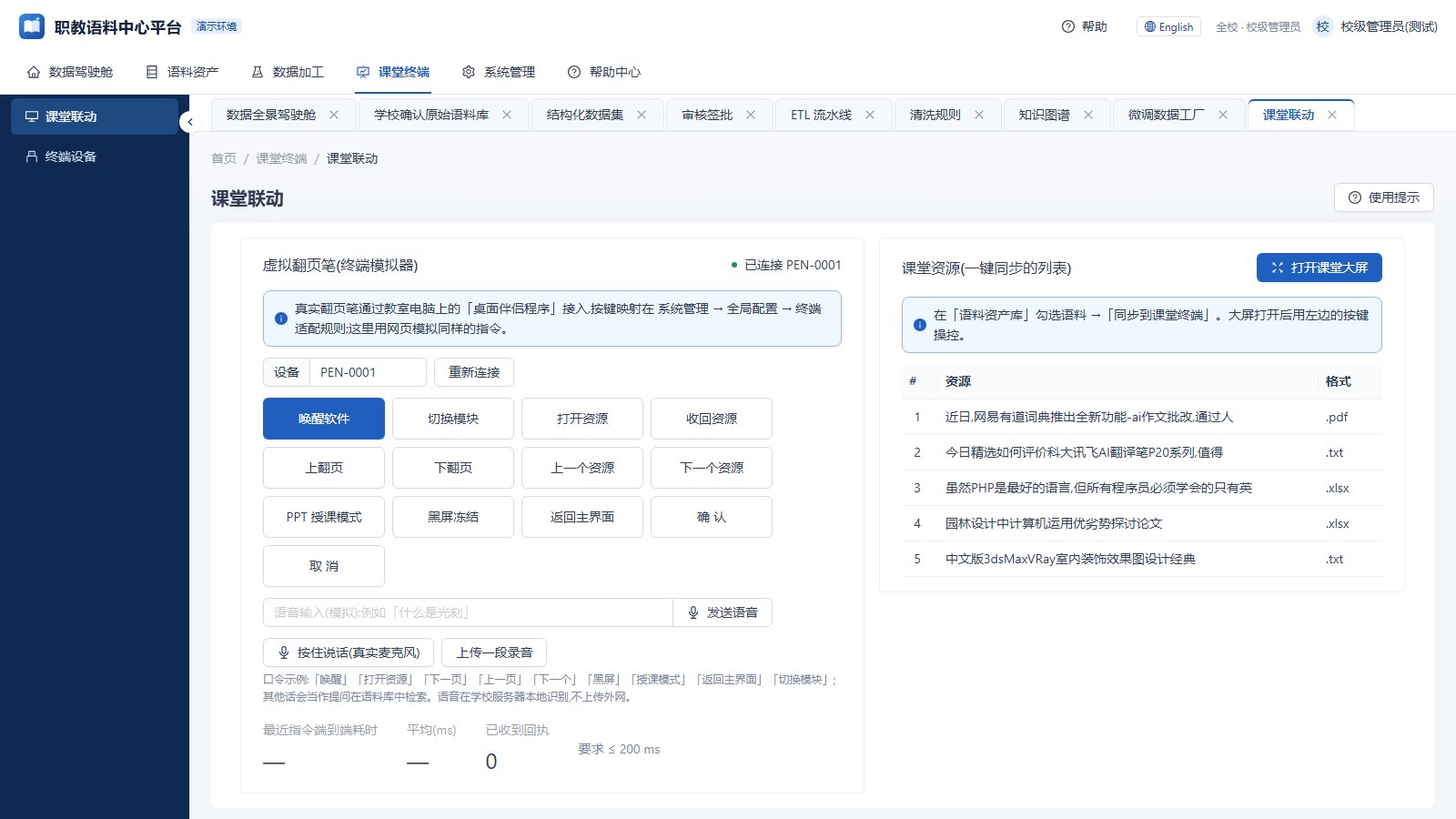
A teacher ticks material in the library and syncs it to the classroom terminal. In class, a presenter remote turns pages, switches resources and opens the classroom screen. Hold a button to ask a question by voice and search the corpus.

  • The remote connects through a small desktop companion on the classroom PC, with configurable keys
  • Speech is recognised on the college's own server and never leaves the campus network
  • Terminals are registered centrally with online status
Classroom link: presenter commands and the classroom screen
07

Open to the college's other systems

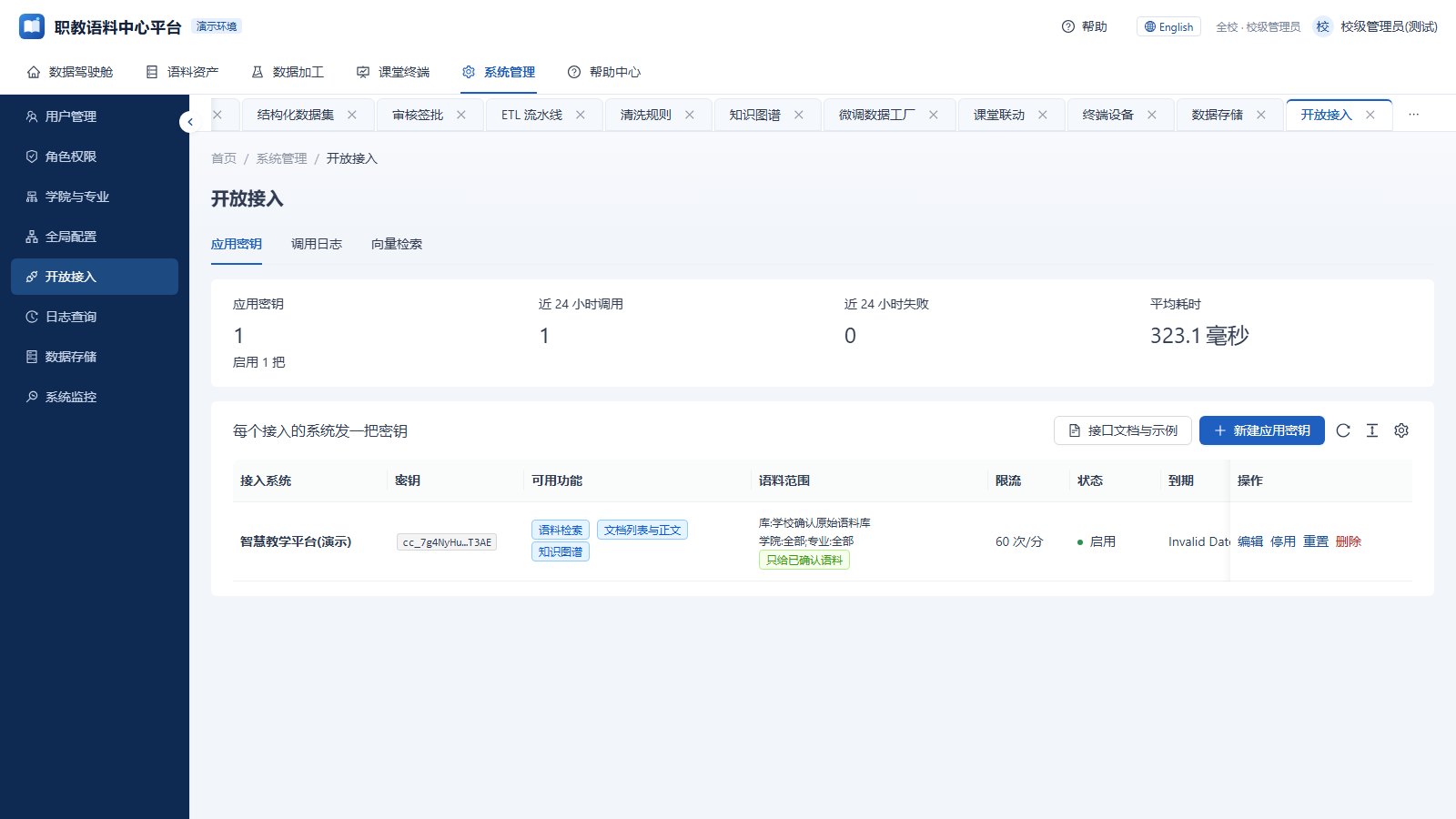
Another system that needs the corpus gets an app key and calls the API: search, documents and text, the knowledge graph, vector search. Each key can be limited to certain functions and libraries.

  • API reference with examples
  • MCP support, so agents can connect directly
  • Per-app call logs and rate limits
Open access: app keys, call log, vector search
08

The data stays with the college

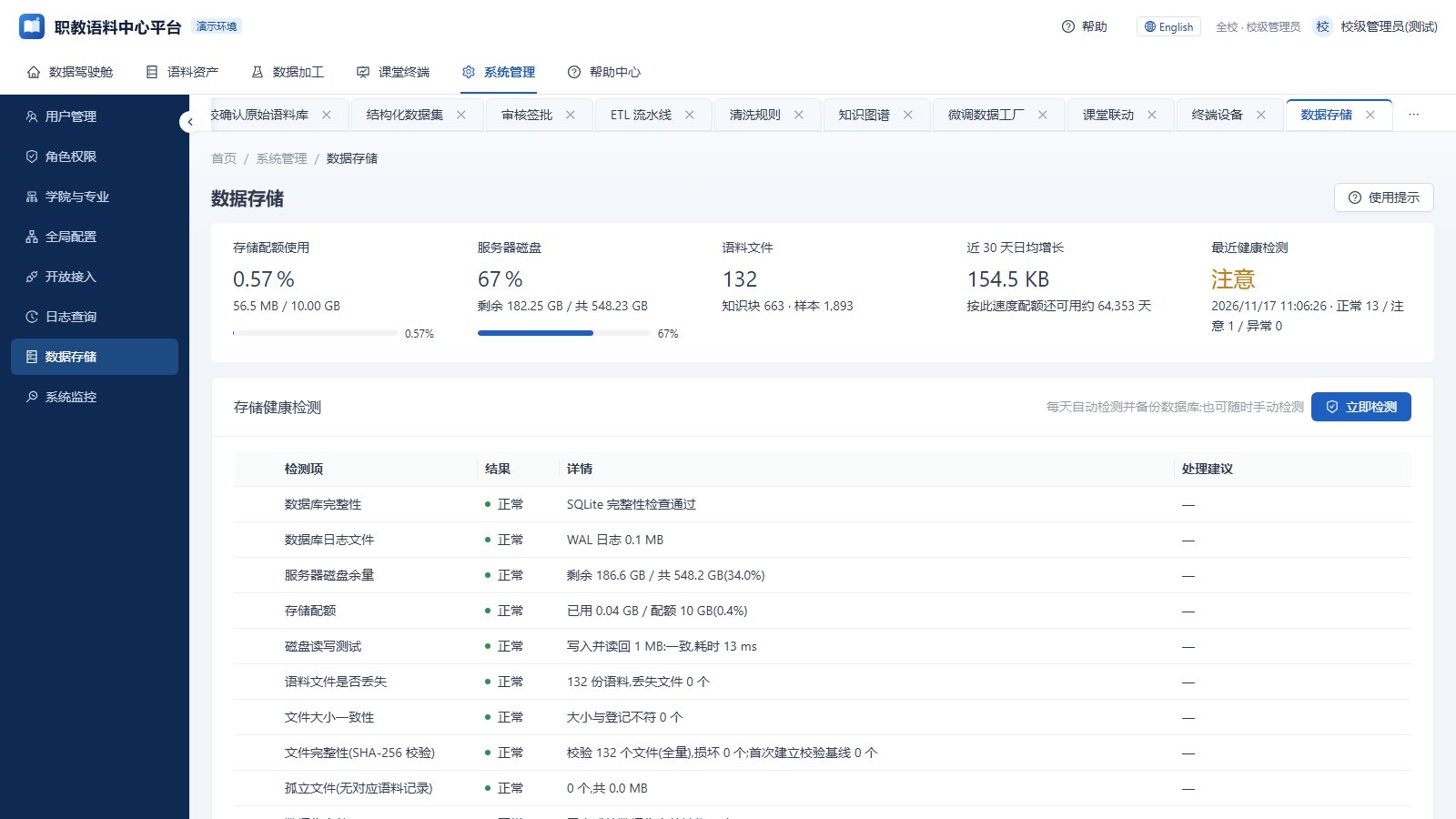
The whole system ships as a Docker image and runs on the college's own server. Nothing leaves the campus network.

  • Daily storage health check and database backup
  • Quota and usage visible in the console
  • System monitor for load, disk and running jobs
Storage: quota, health check, backups
MORE

Other details

Chinese and English UI

The platform has a Chinese and an English version, switched from the top bar.

Hints on every page

Each page has usage hints, plus a help centre and API reference.

Colleges and majors

Colleges, majors and courses are maintained in the console and drive how material is filed.

Reports

The cockpit generates statistics reports and exports them as PDF.

Bulk import

Large base corpora can be imported and cleaned by script.

Stack

Python FastAPI back end, React and Ant Design front end, SQLite full-text search, Docker deployment.

CONTACT

Planning a corpus for your college?

We built this platform for a vocational college client and, under our confidentiality terms, do not name the client. Email us about your situation and requirements and we will reply with a proposal. A demo can be arranged the same way.

adolfmc@sina.cn